
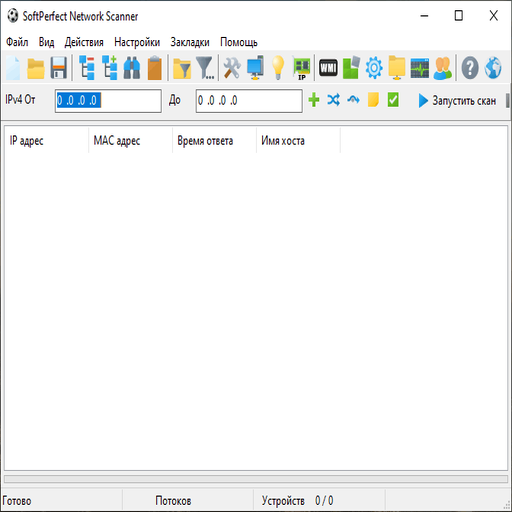
SoftPerfect Network Scanner is a multi-purpose IPv4/IPv6 scanner for system administrators, MSP technicians and anyone who looks after an office network and needs to know what is on it. People searching for a “SoftPerfect Network Scanner download” usually want two things: a quick list of live hosts with names and MAC addresses, and the ability to pull details from Windows machines without installing an agent. It does both.
It is commercial software from an Australian developer, distributed as shareware (conditionally free): the trial has no time limit but shows a maximum of 10 devices in the results. That is enough to evaluate it on a lab subnet; for real networks you need a licence.
SoftPerfect Network Scanner at a glance
| Item | Details |
|---|---|
| Latest version | 26.9 (1 September 2026) |
| Licence | Shareware (conditionally free): unlimited-duration trial that displays up to 10 devices |
| Platforms | Windows (installer and portable; x64 and ARM64), macOS, Linux (DEB and RPM, x86-64 and ARM64) |
| Developer | SoftPerfect Pty Ltd (Australia) |
| Official website | softperfect.com |
| Best for | Fast LAN inventory, port and share discovery, agentless WMI/registry queries across Windows fleets |
What it does
- Ping sweeps IPv4 and IPv6 ranges (simple ranges, CIDR, lists, host names) and shows live devices.
- Resolves host names and MAC addresses, including across routers, and looks up the network card vendor.
- Scans TCP ports and some UDP/SNMP services, grabs service banners and reads SSL/TLS certificate issuer and expiry.
- Finds shared folders, including hidden and writable ones, which is useful for quick data exposure checks.
- Queries Windows machines via WMI, remote registry, file system, services and performance counters; also SNMP, HTTP and SSH.
- Runs remote SSH, PowerShell, VBScript and Python commands and can call Nmap for OS detection.
- Sends Wake-on-LAN, remote shutdown and network messages; detects DHCP servers and duplicate IPs.
- Exports to HTML, XML, JSON, CSV, TXT or SQLite and runs headless from the command line.
How sysadmins use it
Inventory a subnet in five minutes
- Click Detect on the toolbar (or Options > IP Address > Auto Detect Local IP Range) and select the adapter.
- Open scan options with Ctrl+O and on the Additional tab enable MAC address resolution and NIC vendor lookup.
- Add a WMI query for the Windows OS name, then press Ctrl+Enter to start.
- Save the results via File > Save Results and compare them with your CMDB or DHCP leases.
Audit RAM or software across many PCs
- Open the WMI query manager from the toolbar and create a query on
Win32_PhysicalMemorywith theCapacityproperty. - Store domain credentials in the credentials settings so WMI calls authenticate as an admin.
- Scan the range; each machine gets a new column with the result. Export to CSV for your asset sheet.
Schedule a nightly scan from the command line
- Configure the columns you need in the GUI and export the configuration to XML.
- Create a Windows scheduled task that runs:
netscan.exe /hide /config:"C:Scansoffice.xml" /range:192.168.10.1-192.168.10.254 /auto:"C:Scansoffice_%yyyy%%mm%%dd%.csv" - Diff the daily CSV files to spot new MAC addresses, which is a cheap way to catch unknown devices.
Wake machines before patching
- Add the target MACs to a text file, one per line.
- Run
netscan.exe /wolfile:C:Scanswake.txtfrom your patch script, wait a few minutes, then start the deployment.
Install and first run
Windows. Choose the installer or the portable build; the portable one runs from a USB stick without installation, which is handy for site visits. Run it elevated if you want raw MAC resolution and full WMI access. On the targets, WMI and remote registry need the relevant firewall rules (Windows Management Instrumentation, Remote Service Management) and an account with admin rights.
macOS. Delivered as a disk image. Some Windows-specific features (for example remote registry and WMI) are limited or absent outside Windows, as the vendor notes that features vary between platforms.
Linux. DEB and RPM packages for x86-64 and ARM64. ICMP and raw-socket features may require running with elevated privileges.
Gotchas. Aggressive scan threads can trigger IDS alerts or overload small VPN links; lower the thread count for remote subnets. Remember the trial shows only 10 devices, so an “empty” large network is a licensing limit, not a scan failure. Get written approval before scanning networks you do not own.
Limitations
- Not free beyond the 10-device trial; the full product requires a paid licence.
- Agentless WMI/registry queries depend on firewall rules and credentials, and fail silently on hardened hosts.
- Not a vulnerability scanner; for CVE checks you still need Nmap scripts or a dedicated scanner.
- No Android or iOS version.
- Feature parity between Windows, macOS and Linux is not complete.
SoftPerfect Network Scanner vs alternatives
Angry IP Scanner is free and open source, cross-platform and great for quick ping and port sweeps, but it has no WMI, registry or remote command features. Nmap is the reference for port scanning and OS detection, with a command-line focus and scripting engine; SoftPerfect can call it for those tasks. LANTopoLog maps switch-port topology via SNMP rather than inventorying hosts. Pick SoftPerfect when you want a GUI that combines discovery with agentless Windows inventory.
FAQ
Is SoftPerfect Network Scanner free?
No. It is shareware (conditionally free): the trial never expires but displays at most 10 devices. A licence removes the limit.
Is there a portable version?
Yes. The Windows portable build runs without installation, for example from a USB flash drive.
Does SoftPerfect Network Scanner work on Mac?
Yes, there is a macOS build, plus DEB and RPM packages for Linux. Some Windows-specific features are limited on those platforms.
What about old free versions?
Old builds circulate on third-party sites, but they are outdated and unsupported. Use the current release; its trial is the official free option.
SoftPerfect Network Scanner vs Nmap?
Nmap is stronger at port scanning, service fingerprinting and scripted checks. SoftPerfect is faster for day-to-day inventory, shares and WMI data, and can hand off to Nmap.
Is there an Android app?
No. The developer offers Windows, macOS and Linux versions only.
What is a good free alternative?
Angry IP Scanner for discovery and port checks, or Nmap if you are comfortable with the command line.
Last checked against official sources: 1 October 2026 (developer website: softperfect.com). Versions and licence terms change — confirm on the developer's site before deploying in production.





